Your booking pages can now be customized via our Booking Page Editor to match the look and feel of your website, or to be more inline with your brand identity. This can be done under Settings > Booking Page Editor. The editor interface is very easy to use and requires no HTML or CSS knowledge.
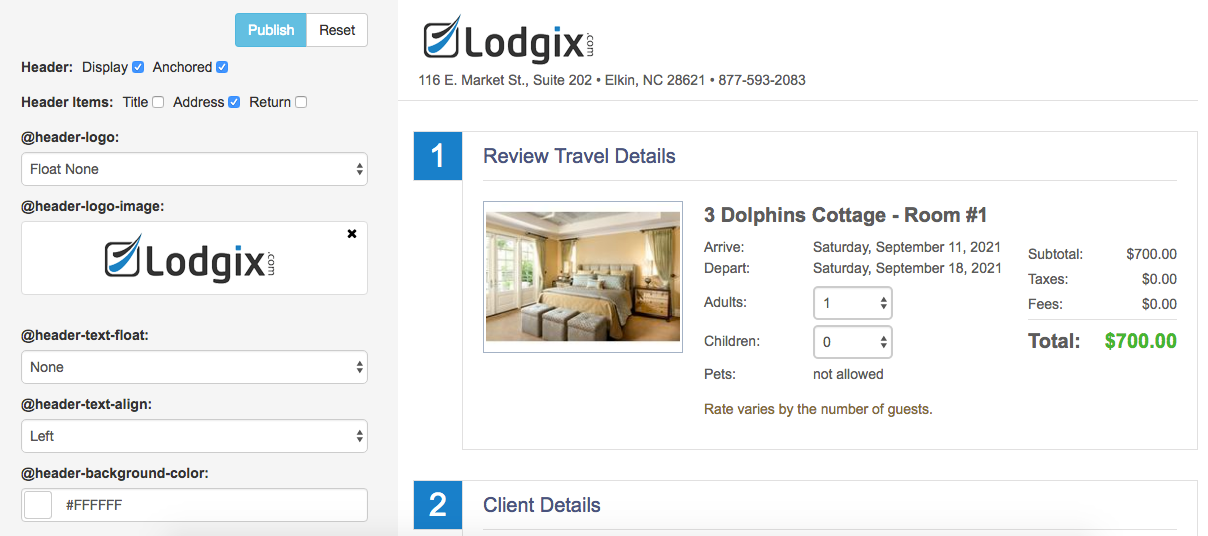
You can now upload your own custom logo to display on the booking pages. There are also dozens of other customization options available, giving you the ability to set a custom color scheme, edit font styles, and control the placement of certain elements. We also included a booking page preview that updates in real time as you make your selections.
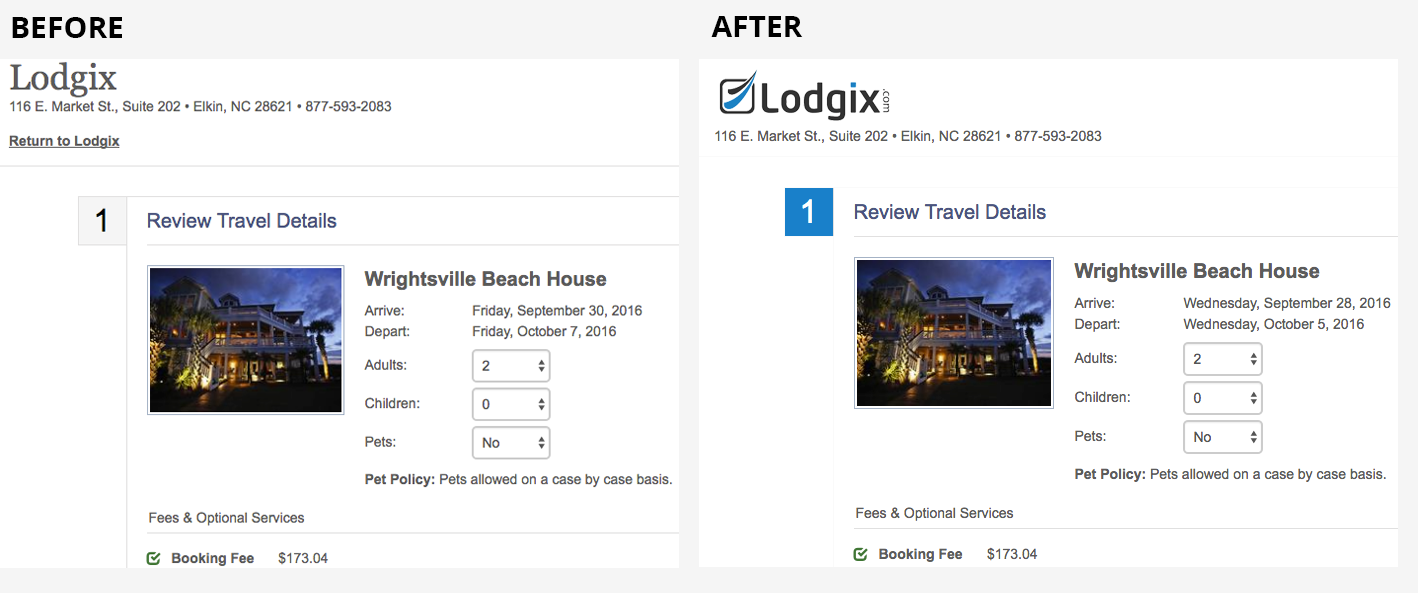
The page can be customized significantly in just a few minutes using only the options provided (as shown above.) However, you also have the option to customize the page beyond the options that are provided, using the built in Custom CSS field.
Complete documentation of the new Booking Page Editor can be found in our user manual here.